What's New in MyAidKit 1.1
Hi! 👋 MyAidKit 1.1 is here, and it's all about giving you more control over what's actually in each kit — where a medicine lives, how it's organized, and how much of it is in the bottle.
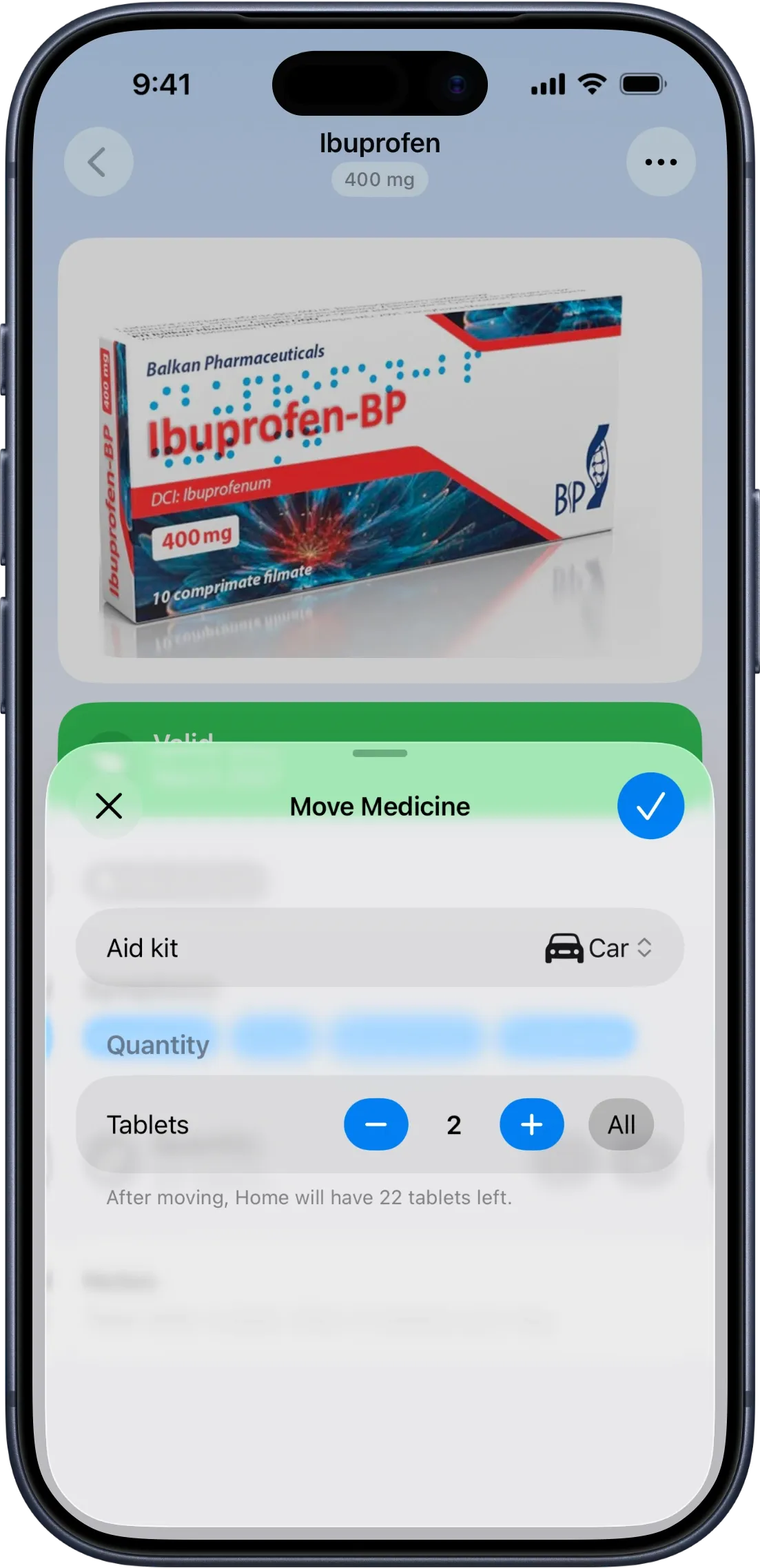
Move a medicine between kits — even just part of it
You've got a big bottle of vitamins and want to keep some at home and send the rest to the car glove box. Until now, that meant deleting the medicine from one kit and re-adding it to another by hand — retyping the name, expiration date, everything.
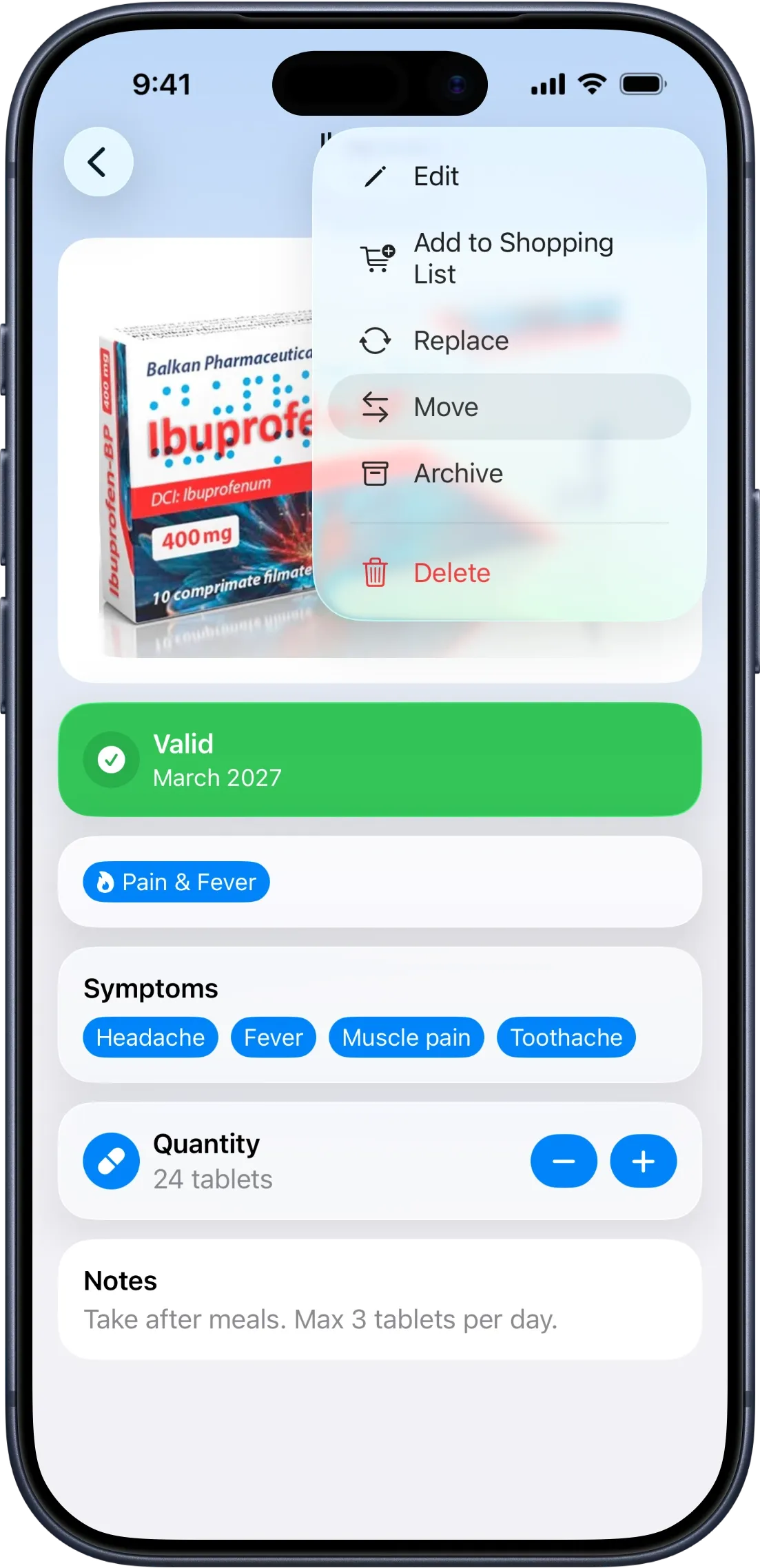
Now you can move a medicine straight from its swipe action or context menu in the kit list, or from the "⋯" menu on its detail screen — and choose how much to go: all of it, or just part.
Move part of a bottle, and the rest stays right where it was, with the same expiration date and details. And if the destination kit already has that exact same medicine sitting there — same name, expiration, and strength — MyAidKit merges the two instead of creating a duplicate entry, so your kit stays tidy.
Six new categories — 18 in total
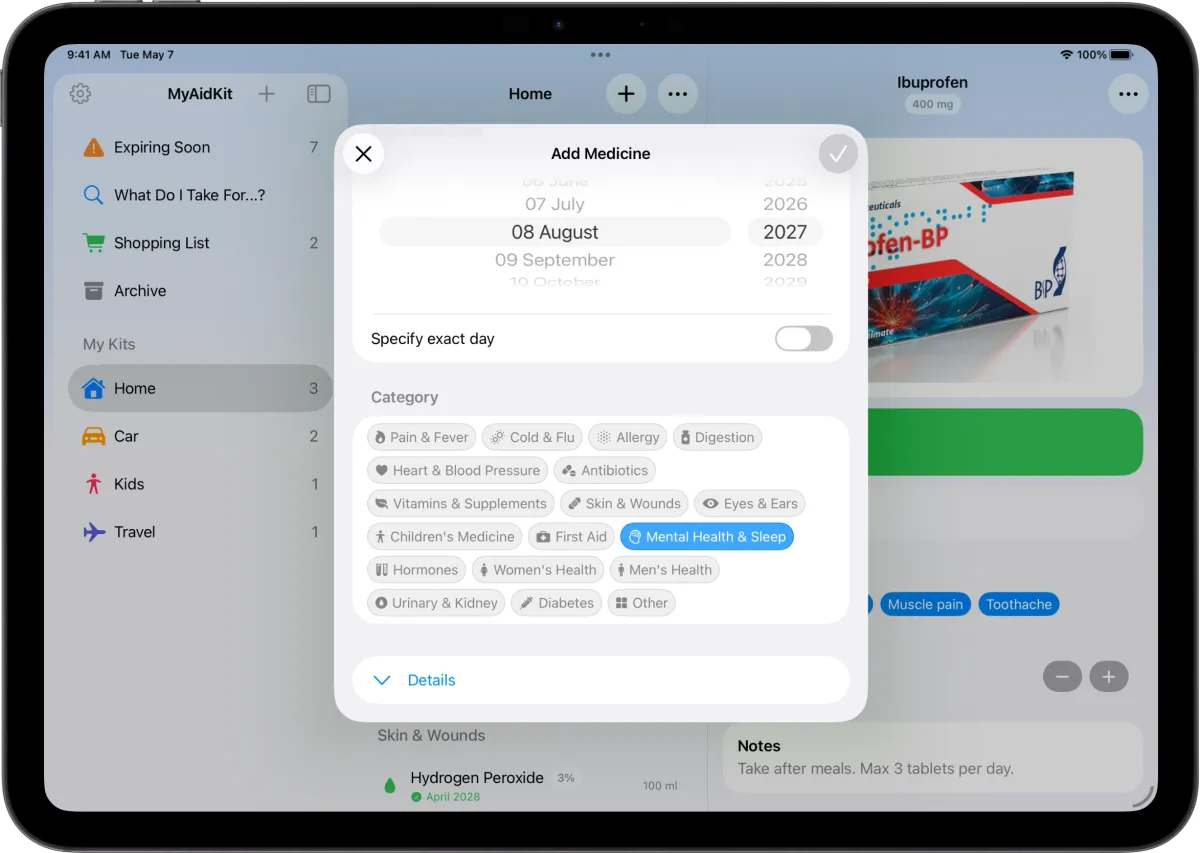
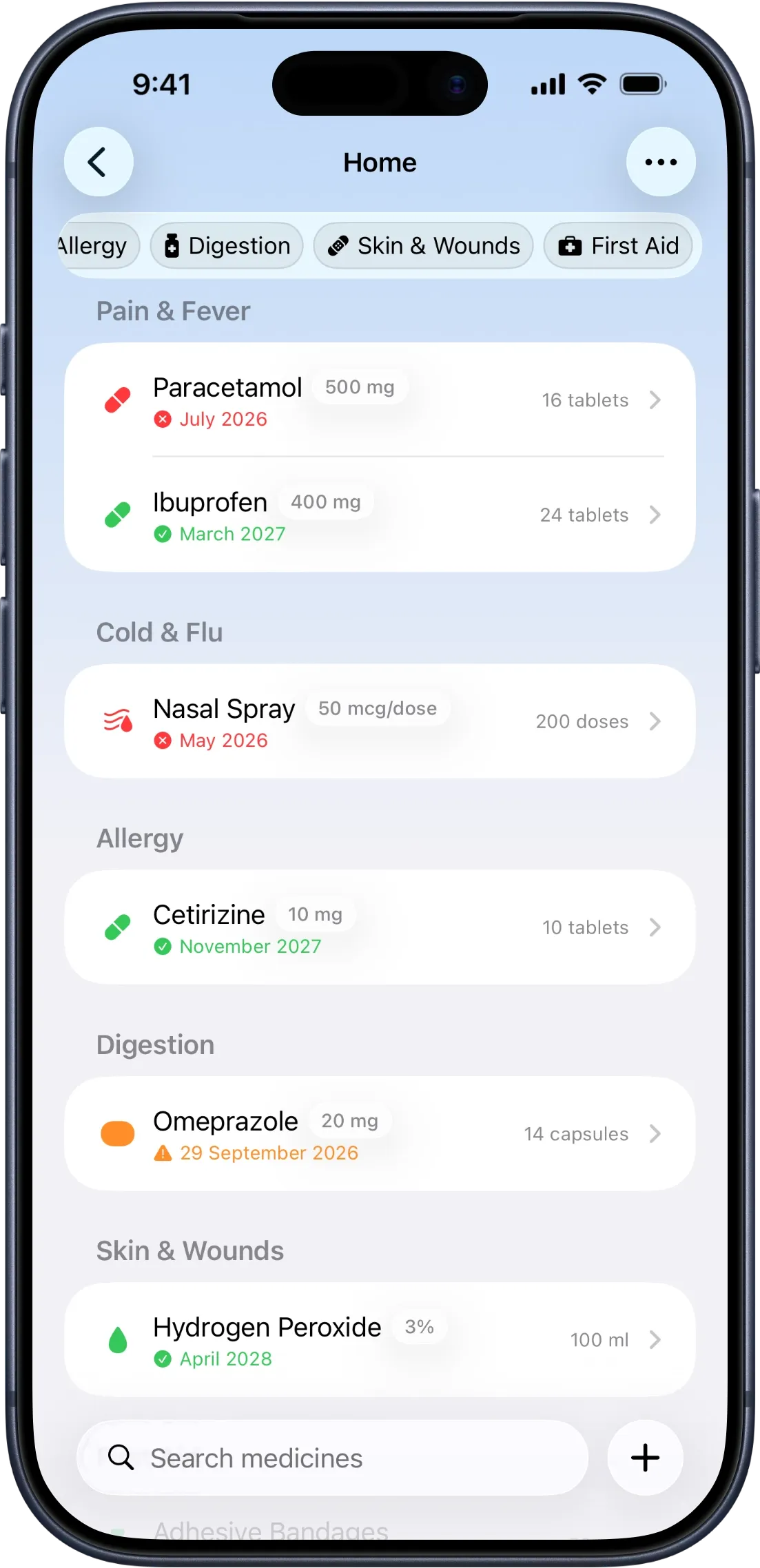
Some medicine cabinets carry things MyAidKit didn't have a clean shelf for yet. We added six: Mental Health & Sleep, Hormones, Women's Health, Men's Health, Urinary & Kidney, and Diabetes — bringing the total to 18 categories to sort your cabinet by.
Know the strength, not just the name
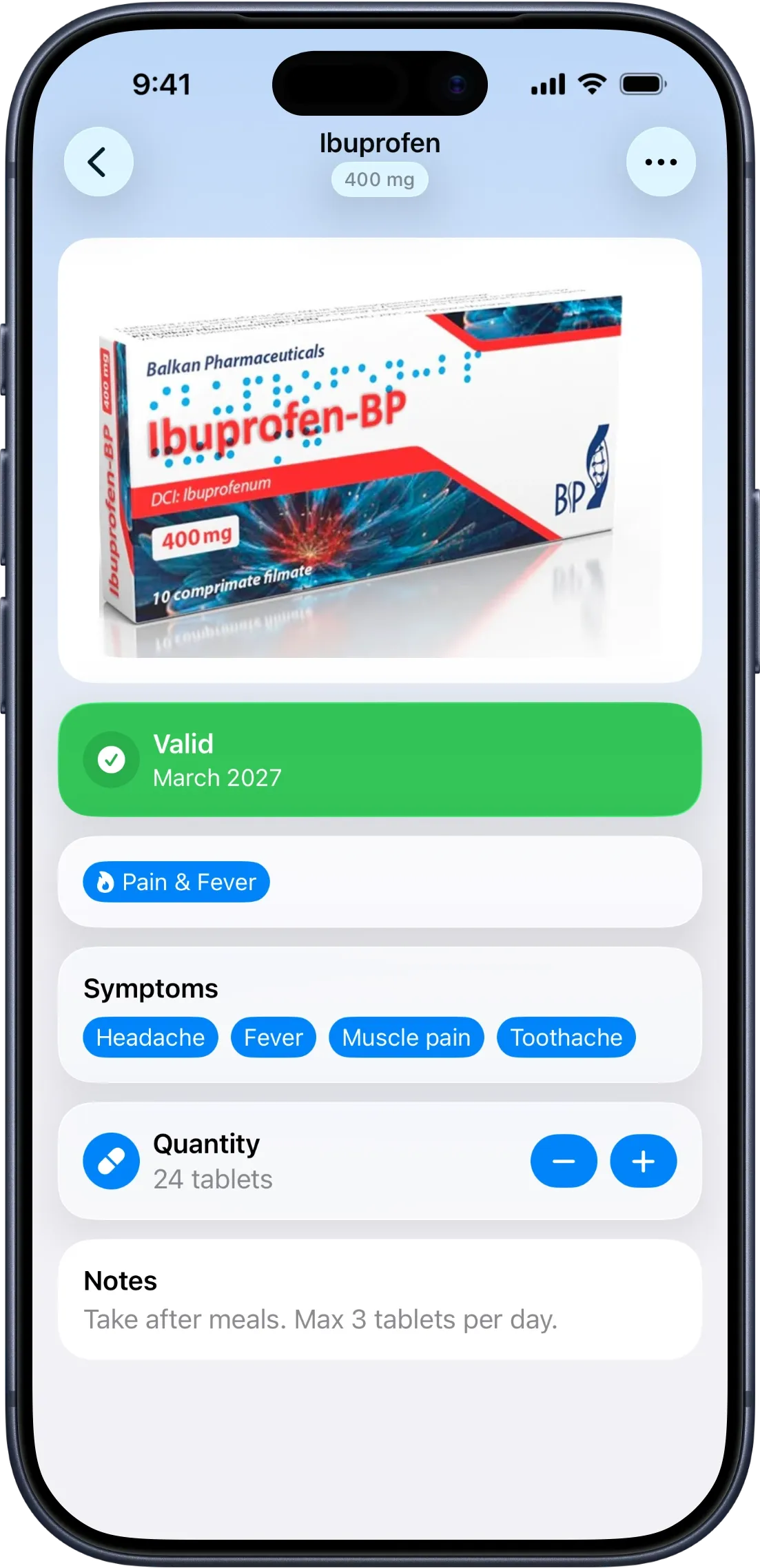
Two boxes of the same medicine at different strengths can look identical in a plain list — 250 mg and 500 mg, same name, easy to grab the wrong one.
You can now add a dosage/strength to any medicine when you add or edit it — milligrams, micrograms, grams, IU, percent, and a few more units. It shows right next to the name as a small badge everywhere: kit lists, symptom lookup, the expiring-soon list, and the detail screen. It's included in CSV/JSON exports too, so if you're sharing your list with family or a doctor, the strength travels with it.
More reliable reminders
We also spent time under the hood tightening up notifications — MyAidKit's core promise.
- Fixed a crash that could happen right when you tapped a reminder notification to open the app.
- Found and fixed a deeper issue where editing, archiving, unarchiving, deleting, or replacing a medicine didn't always update its reminders afterward. That could leave a stale reminder pending, or a newly added medicine with no reminder at all until the next automatic refresh. Reminders are now kept in sync automatically, every time, right where the change happens.
- Hardened the background task that keeps reminders correct even when the app isn't open.
Also in this release
Category filter chips are readable again on iOS 18 — a contrast issue made unselected labels nearly invisible there.
What's next
We're already looking at what's rough or missing next — if something in your cabinet still doesn't fit, tell us.